

How to Pause a Coffee Subscription Without Losing Your Perks
A countertop overflowing with unopened specialty bags shouldn't force you to walk away from your favorite roaster. If you've ever watched peak freshness slip past while single-origin beans accumulate faster than your morning pour-over routine can handle, you're not alone. Knowing how to pause a coffee subscription is the best way to catch up without abandoning your morning ritual or ditching custom preferences.
You shouldn't have to sacrifice hard-earned subscriber discounts or saved roast profiles just because life gets busy or travel takes you away from your kettle. In this guide, you'll learn how to pause, skip, or adjust your coffee subscription easily so you never waste freshly roasted beans. We'll walk through self-service customer portal tools, cutoff deadlines, and simple scheduling tweaks that protect your perks while keeping your coffee cabinet perfectly balanced.
Key Takeaways
- Pausing rather than canceling preserves your locked-in subscriber discounts and custom roast settings while protecting delicate bean aromatics from sitting unbrewed.
- Master how to pause a coffee subscription in four simple steps through your self-service account dashboard before the upcoming roast cutoff.
- Decide when to use a single-order skip for short trips versus an extended pause for longer breaks from your brew bar.
- Tailor delivery intervals or swap between comforting blends and lively single origins to keep shipments synced with your actual daily brewing pace.
Pausing vs Canceling: Preserving Bean Freshness and Account Perks
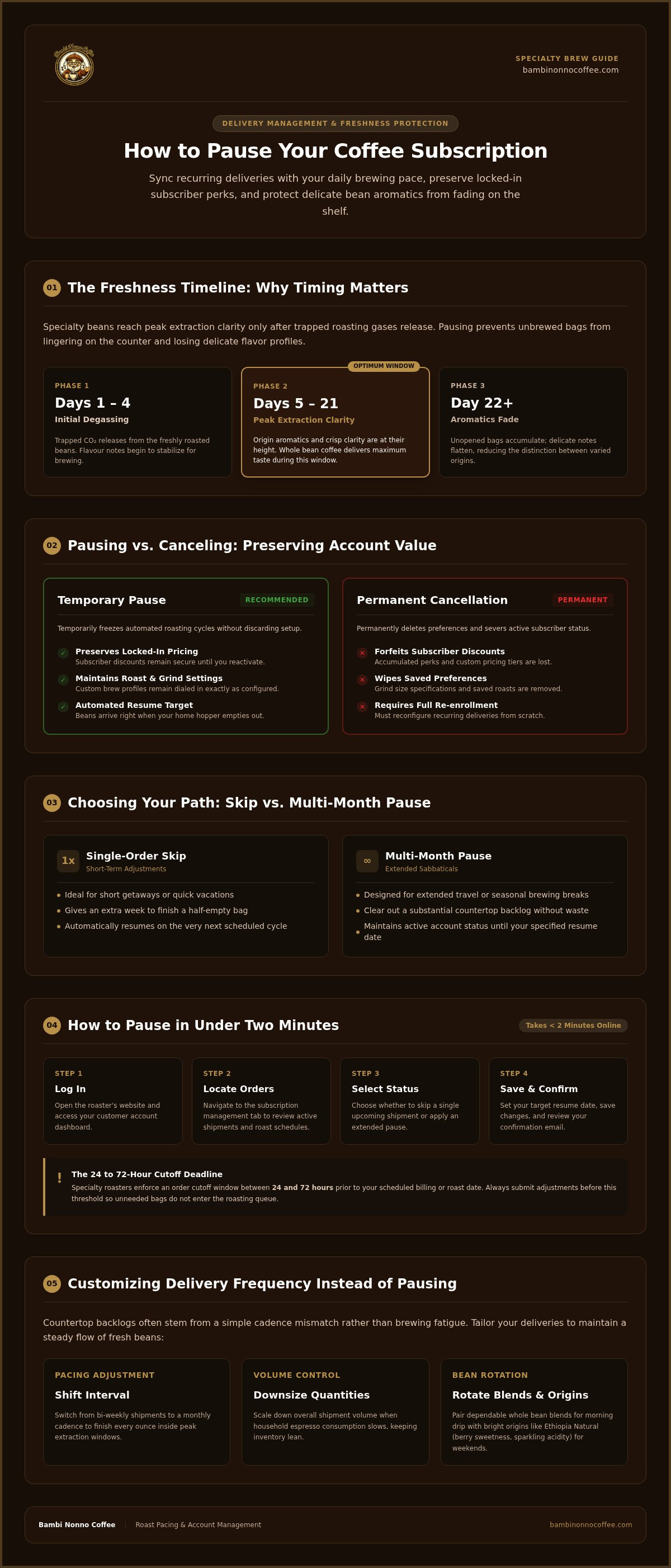
A subscription pause temporarily suspends automated roasting and delivery cycles while keeping your saved grind settings, custom roast profiles, and locked-in pricing active; account cancellation permanently deletes your preferences and forfeits accumulated subscriber perks. Specialty beans hit their peak flavor profile shortly after an initial degassing phase. When unopened bags linger on the counter, delicate aromatics fade fast, flattening the crisp extraction clarity you expect in the cup. Learning how to pause a coffee subscription keeps you from racing against the clock.
Rather than cutting ties with your roaster when extra bags accumulate, taking a temporary step back gives you room to catch up on your brewing stash. Pausing safeguards your account perks and ensures that your favorite coffees remain dialed in the moment your kitchen shelf clears.
When Hitting Pause Protects Your Daily Cup
Whole bean coffee tastes best between five and 21 days post-roast, once trapped gases release without muting distinct origin notes. If an upcoming vacation or a shift in your daily brewing pace leaves you with an unground backlog, adjusting your delivery status protects your cabinet from going stale. You have two convenient paths depending on your schedule:
- Single-order skip: Ideal for short getaways or when you are halfway through a bag and need an extra week to finish it.
- Multi-month pause: Perfect for extended travel or seasonal brewing sabbaticals, keeping your account standing intact until you return.
Mastering how to pause a coffee subscription ensures your next box of fresh beans lands at your doorstep right as your hopper runs empty.
How to Pause a Coffee Subscription Online in Four Steps
Taking control of your delivery schedule takes less than two minutes once you know where to look. Follow this straightforward four-step process for how to pause a coffee subscription without resetting your saved perks:
- Log in: Open your roaster's website and sign into your customer account portal.
- Locate your orders: Navigate to the subscription management tab to review all active shipments and roast schedules.
- Select your status: Choose whether to skip a single upcoming shipment or apply an extended pause across upcoming cycles.
- Save and confirm: Set your target resume date, save the changes, and verify your updated schedule.
Navigating Your Account Portal and Setting Resume Dates
Most specialty portals enforce an order cutoff window between 24 and 72 hours before the scheduled billing or roast date. Make any adjustments prior to that cutoff so unneeded bags do not accidentally enter the roasting queue. Selecting a specific resume date guarantees freshly roasted beans arrive right when your home supplies run low, eliminating manual reminders.
Always review your inbox for an automated confirmation email after updating your schedule. If your brewing routine changes or you need help dialing in exact dates, you can easily connect with customer support for a personalized delivery adjustment.
Customizing Your Coffee Delivery Frequency Instead of Pausing
Halting shipments isn't your only recourse when beans begin to stack up on your counter. Often, the true friction comes from a simple mismatch between delivery pacing and your actual brewing rate. Shifting an automatic cadence from bi-weekly to monthly lets your household finish every ounce during peak extraction windows, saving you from having to figure out how to pause a coffee subscription whenever life slows down.
Flexibility also means tailoring what arrives in your mailbox. Instead of stepping away from your routine, try rotating your deliveries to match how you brew throughout the week. You can easily switch recurring orders between dependable whole bean blends that shine in morning drip carafes and bright seasonal single-origin coffee for delicate weekend pour-overs.
Fine-Tuning Quantity and Exploring New Roast Varieties
Downsizing your shipment volume is another practical way to keep inventory lean when household espresso consumption dips. When you're ready to awaken your palate with fresh flavor profiles, switch your selection to something vibrant like Ethiopia Natural, celebrated for its berry sweetness and sparkling acidity.
If standard dashboard intervals don't quite sync with your personal extraction habits, reaching out to Bambi Nonno Coffee support provides customized schedule adjustments. Tailoring deliveries keeps every morning ritual fresh without forcing an abrupt break from the craft you love.
Keep Your Coffee Flowing on Your Own Terms
Brewing at home should bring calm to your morning, not a race against an overflowing pantry. Knowing how to pause a coffee subscription empowers you to honor every bean in your cabinet without sacrificing saved roast preferences or locked-in perks. Whether you choose to skip a single drop or widen delivery intervals, simple self-service online portal adjustments put you in complete control of your routine.
Great coffee is all about patience and timing. With small-batch roasted coffee delivered fresh nationwide and free shipping on all US coffee orders, your deliveries should always match your personal brewing rhythm. If you need a hand dialing in a cadence that works for your household, connect with our team to adjust your coffee subscription schedule. Take your time, enjoy your current stash, and savor every pour.
Frequently Asked Questions
Will I lose my subscription discount if I pause my coffee deliveries?
No, pausing your deliveries keeps your subscriber discount and loyalty standing completely intact. Unlike canceling, which erases your account tier and resets promotional rates, a pause simply puts future fulfillment on hold. Once you reactivate your deliveries or hit your chosen resume date, your saved pricing applies automatically without any penalty or need to re-enroll.
How far in advance do I need to pause before the next roast date?
You should update your account status at least 24 to 72 hours before your scheduled roast date or recurring billing cutoff. Most specialty roasters immediately queue orders into small-batch roast cycles once billing processes. Learning how to pause a coffee subscription early guarantees the system updates before your beans enter production, preventing unwanted shipments from leaving the facility.
What is the difference between skipping an order and pausing my subscription?
Skipping bypasses a single upcoming delivery while keeping your regular recurring cadence intact for the following shipment. Pausing puts all future recurring fulfillments on hold until a specific date you select or until you manually turn deliveries back on. Understanding how to pause a coffee subscription versus skipping a drop gives you precise control during travel or unexpected brew delays.
Can I change my preferred roast profile while my subscription remains paused?
Yes, you can update your coffee selection, grind setting, or delivery frequency at any time while your account is paused. Logging into your account dashboard lets you swap between comforting blends and lively single origins without reactivating billing. The modifications save to your profile immediately and take effect the moment your regular roasting schedule resumes.